ILOK ACTIVATION
1) Open up your iLok License Manager desktop app.
If you don't have it, you must download it from ilok here: https://www.ilok.com/#!license-manager
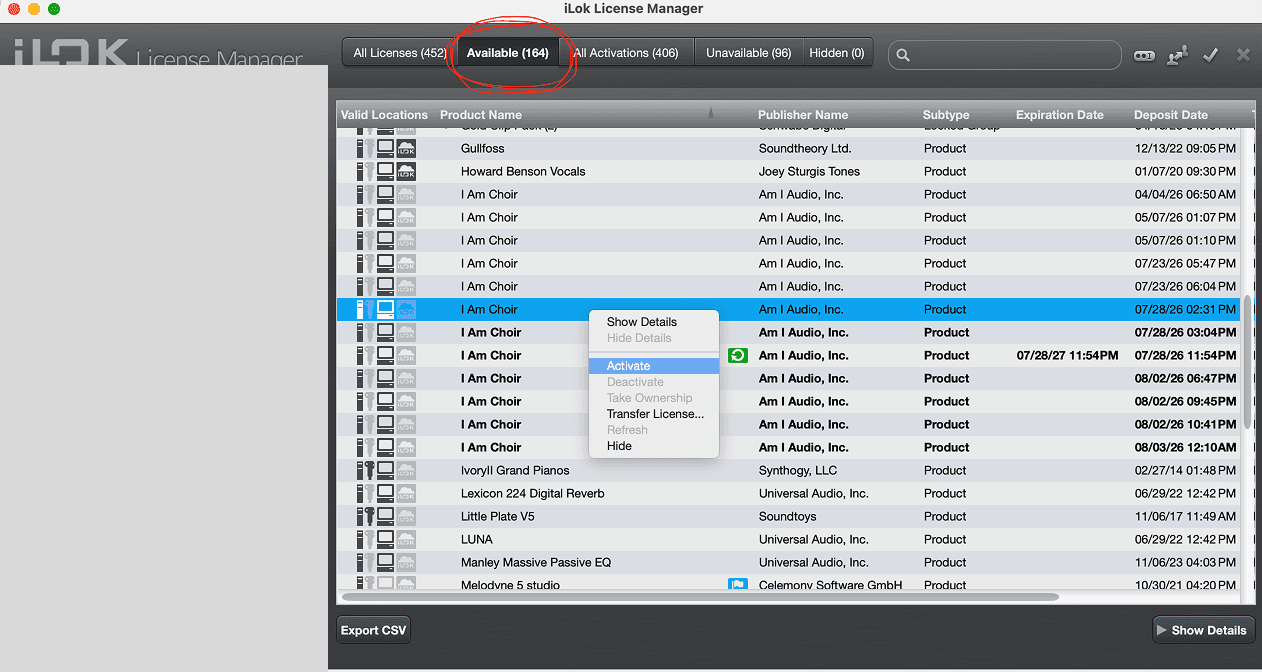
2) Open the ilok license manager from your applications.
3) Locate the "Available" plugins tab
4) Right click on "I AM CHOIR", and activate it to your iLok or machine